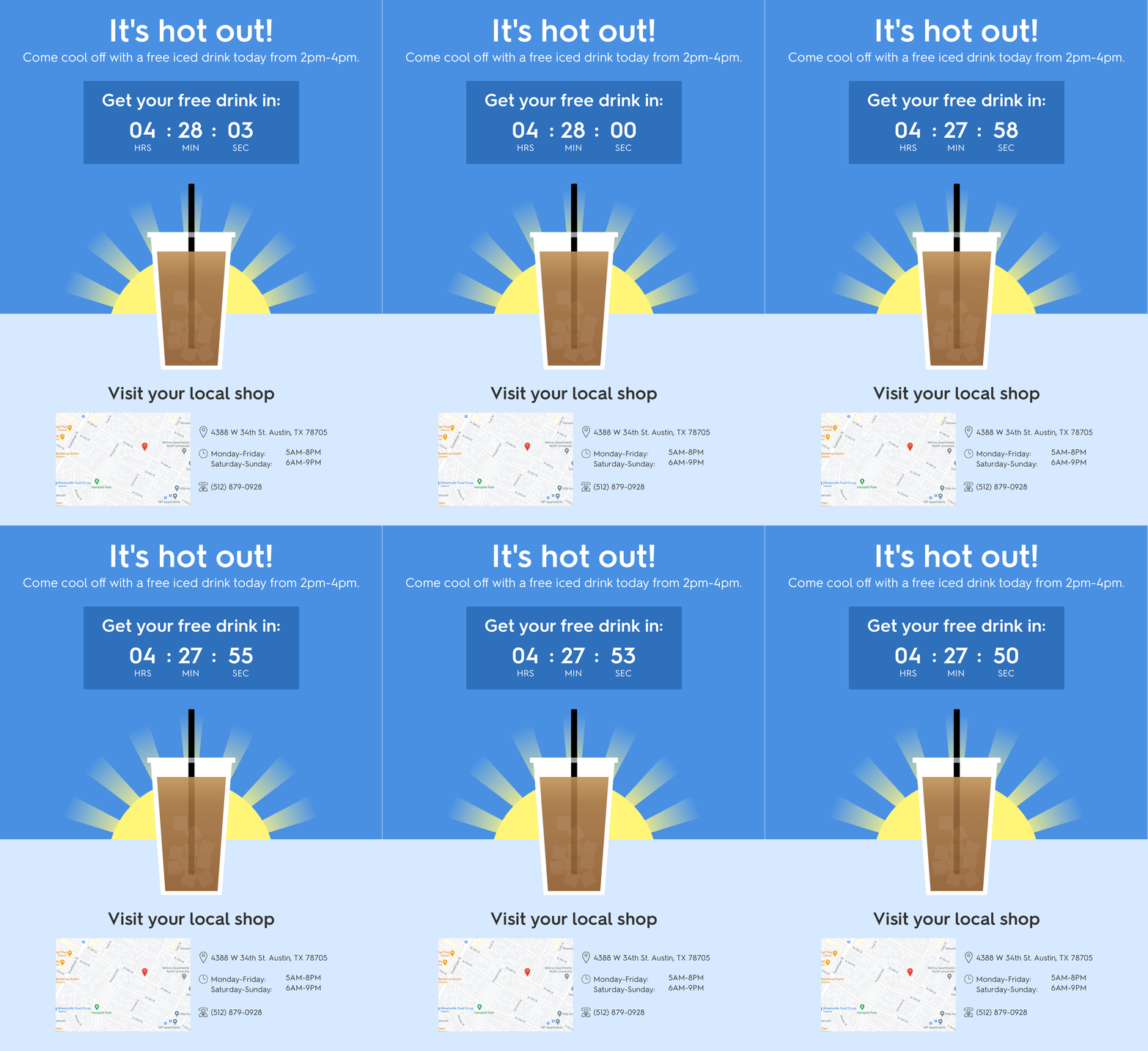
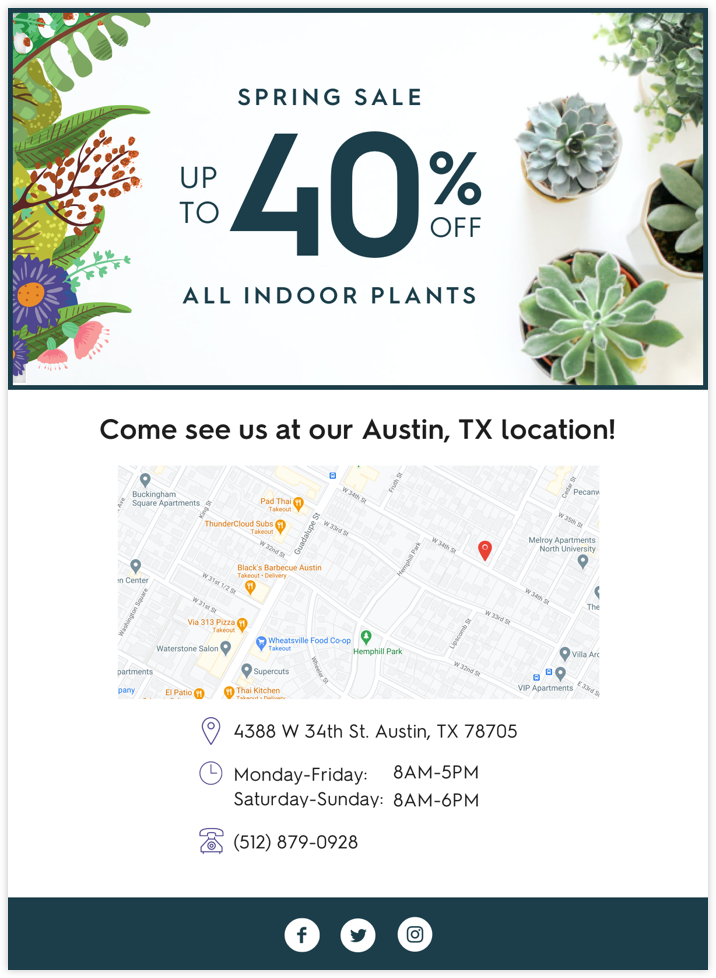
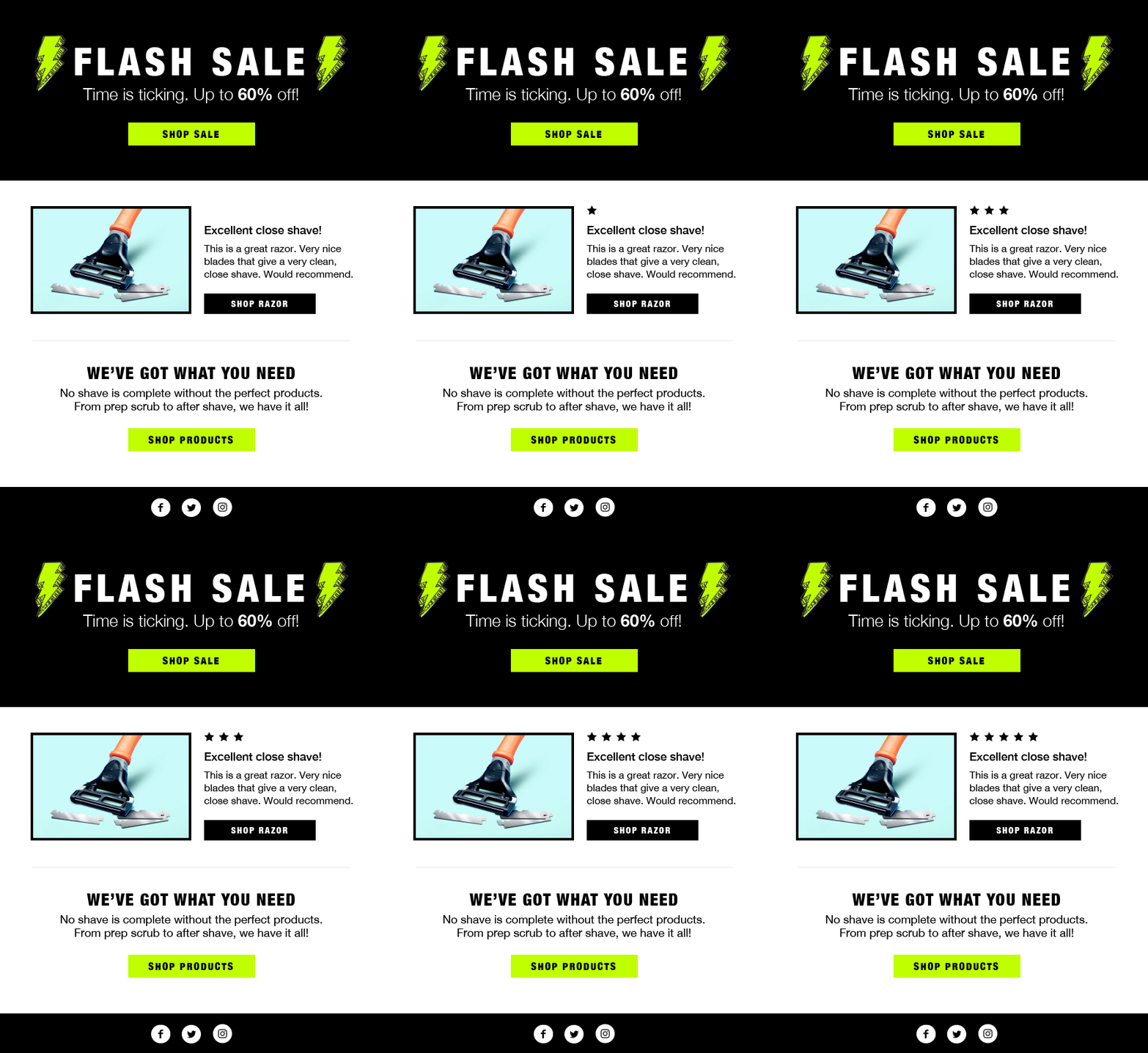
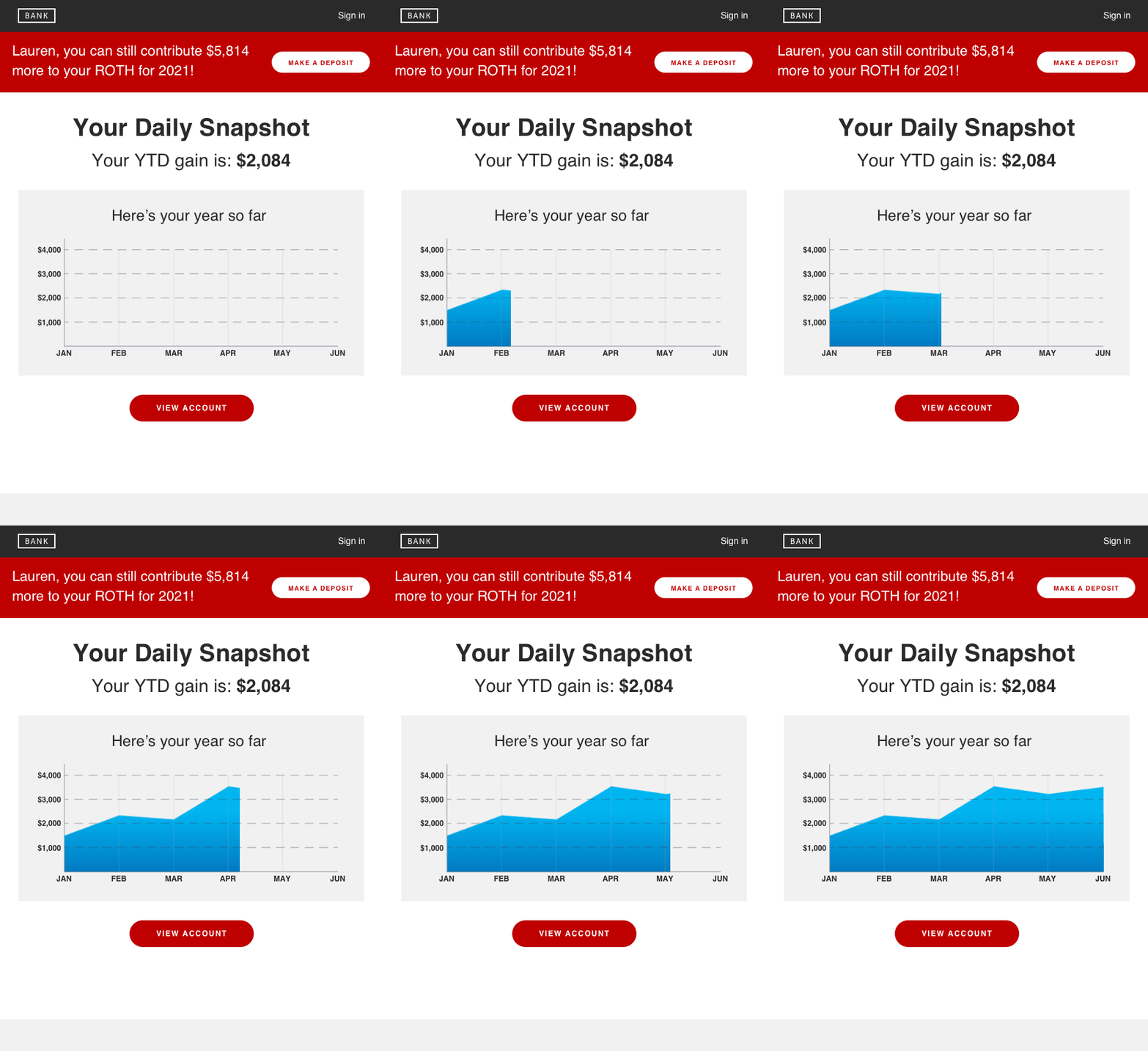
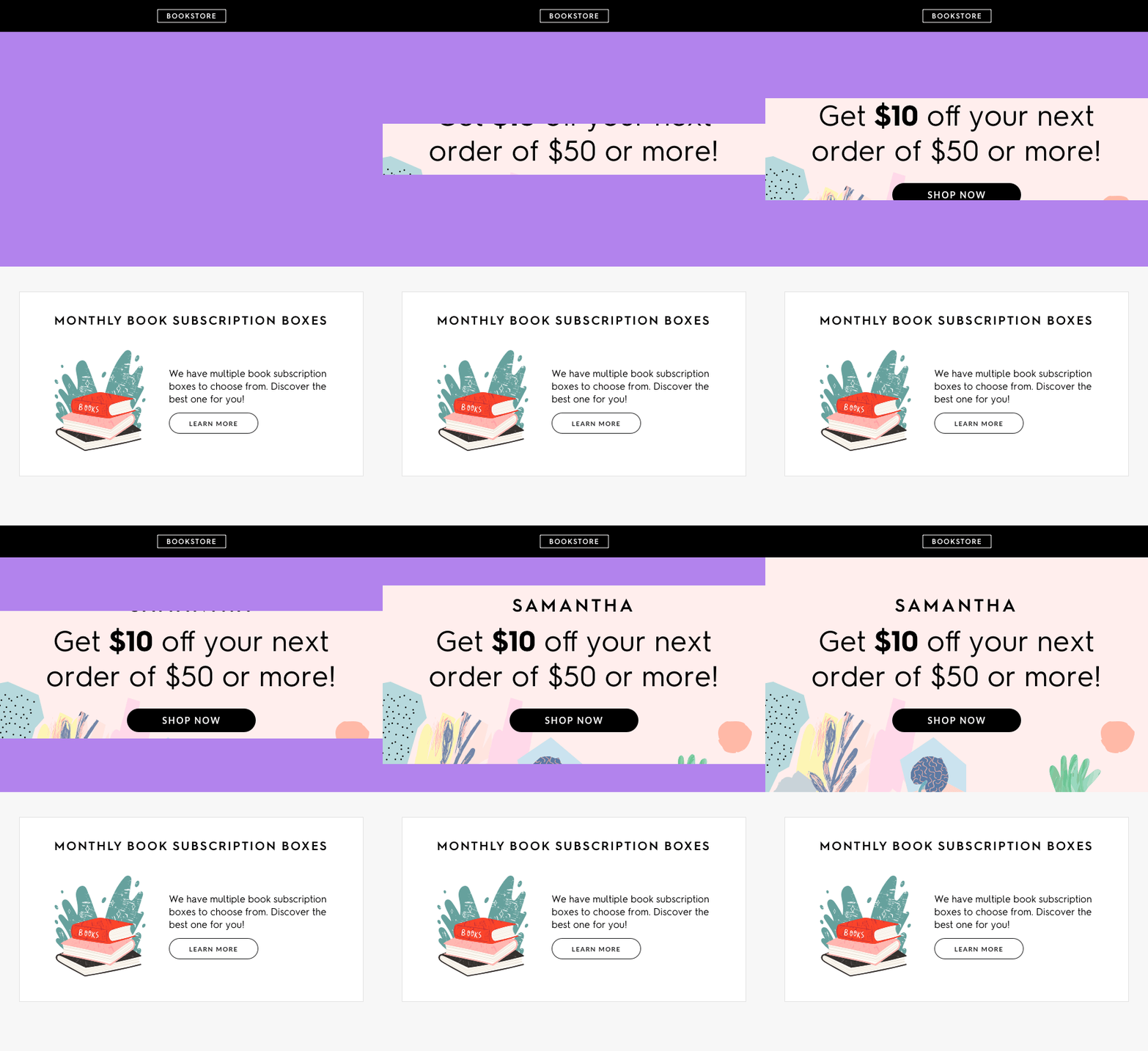
The most efficient way to deliver high fidelity personalization in your daily email, and drive over 11x return on spend (works seamlessly with your existing email service provider).
Infinitely expand your brands photography with Curator™ AI. Generate new product photography that’s indistinguishable from the originals, and combines multiple products together.
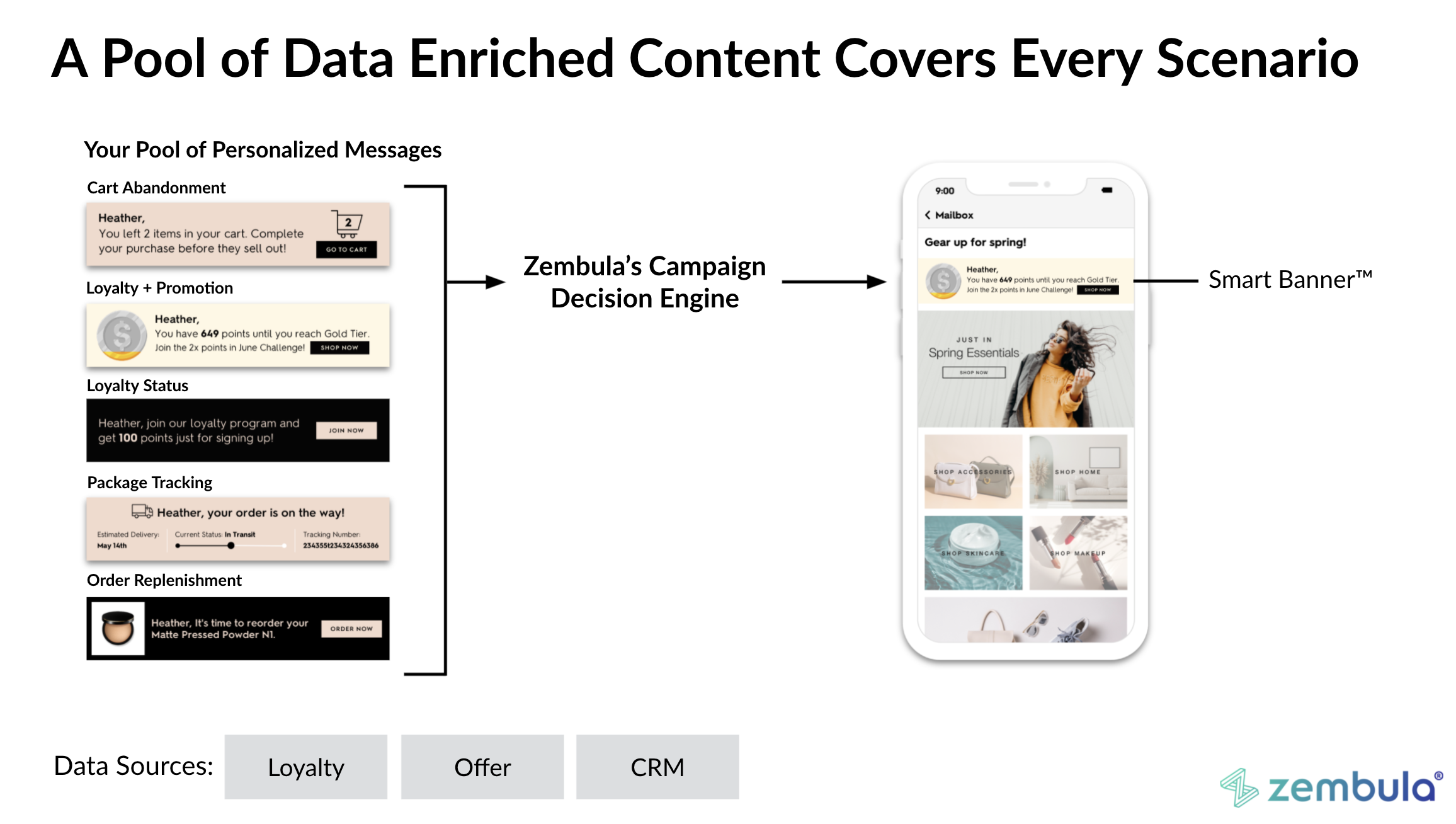
Create, manage, deploy, and target an unlimited number of personalized messages. Deliver any of the messages from your pool through a single image URL and link embedded within email, SMS, mobile, or on your website.
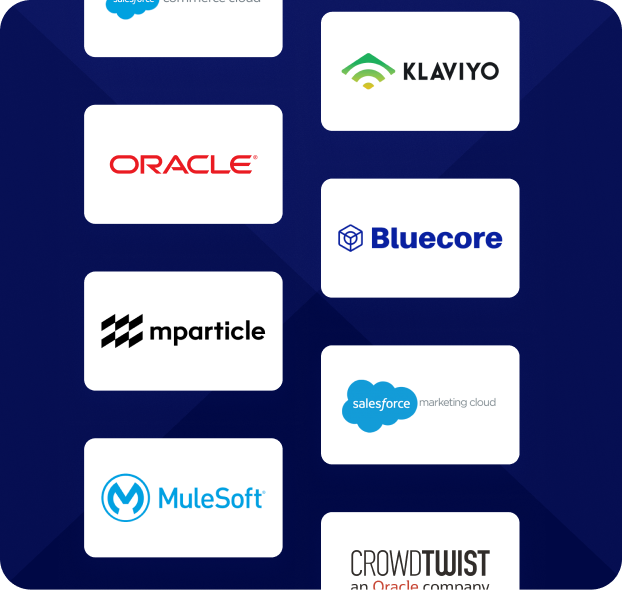
Zembula connects with any enterprise data source. If you don’t see a specific data source here or have a custom data source, we will always connect it for free.
The most efficient way to deliver high fidelity personalization in your daily email, and drive over 11x return on spend (works seamlessly with your existing email service provider).
Infinitely expand your brands photography with Curator™ AI. Generate new product photography that’s indistinguishable from the originals, and combines multiple products together.
Create, manage, deploy, and target an unlimited number of personalized messages. Deliver any of the messages from your pool through a single image URL and link embedded within email, SMS, mobile, or on your website.
Integrations
Connect with 100+ integrations
Zembula connects with any enterprise data source. If you don’t see a specific data source here or have a custom data source, we will always connect it for free.
Apple iOS 15 Impacts on the Customer Experience in Email
By now, we’ve all heard about iOS 15 and the possible impacts it could have on our email marketing programs due to the new privacy features it includes.
This is the second post in a series going over the three areas of impact that iOS 15 will have on email marketing. Today, we’re talking customer experience!
What you need to know about iOS 15
Starting this fall, Apple Mail will start to pre-open all emails for those that use Apple Mail and have opted into their new privacy features. It will mask details about the open including location, time, and even if the recipient opened the email at all.
“Mail Privacy Protection stops senders from using invisible pixels to collect information about the user. [It prevents] senders from knowing when they open an email and masks their IP address so it can’t be linked to other online activity or used to determine their location,” Apple said in their announcement.
This means content based on contextual information gathered at the time of open will likely be broken.
First Let’s Talk About Personalization – It Won’t Be Impacted
First, the good news. There will be no impact on your ability to personalize and animate images within Apple Mail. You can still use deep personalization to engage your audience. The bad news is that all the exciting advancements with real-time email content will likely be thwarted by Apple prefetching images with the iOS 15 privacy update.
This is because the images will be rendered when Apple requests them instead of when the user opens the email. That means the content could be outdated by the time your audience sees it.
A Run Down Of Impacted Content Types
Here are the types of content that will likely be impacted by iOS 15:
Countdown Timers: Won’t be accurate for Apple Mail
Real-time data: Will populate at Apple’s pre-open
Time of day: Won’t be accurate for Apple Mail
Using IP based Location for maps or weather: Won’t be accurate for Apple Mail
Using Device types like mobile, tablet, or desktop: Won’t be accurate for Apple Mail
If you are using any of these types of content you’ll need to adjust and rethink your campaigns. If you choose to do nothing, you will serve up a broken experience to Apple Mail users.
So Can We Fix Any Of These Experiences?
While some of these content types will need to be completely reimagined, many are good to go with a few small tweaks. Here are some ideas to get you started:
Countdown Timers
Countdown timers are GIFs based on email open time. So, your countdown could potentially count down to the wrong time.
We’ve heard some rumors that Apple may re-request images every 24 hours. If true, you can likely count down by days. So, focus on ways you can use them.
A foolproof way to use countdown timers would be to use personalization. Use a date and then animate the date to draw attention to it instead of a countdown.
Real-Time Content
Real-time content will instead turn into recent time. While this isn’t ideal, it’s not the end of the world either.
Many data sources will only update every 24 hours anyway, so lots of what we refer to as “real-time” is actually already “recent time.” The best way to deal with this is to include a timestamp to show the user when the information was updated.
Time of Day
Since time of day will obviously not be accurate for Apple Mail Privacy, you need to base your content on something else. Try personalizing with 0 or 1st party data.
Using IP Based Location
A masked IP address means you need to get the location data from somewhere else.
You can pull location data from your own database if you ask for this information. Or you could even connect recent purchases or shipping addresses to location too.
Using Device Type
Since device type is blocked, you need to design for where the majority of your audience is first and make sure all other versions are usable. A great way to do this is to test and poll your audience!
The Key To a Better Experience in a Privacy-Focused Future is Personalization
Personalization has always been the best way to engage your audience. Now, without many of the contextual data points we are accustomed to having, you need to use your own 0 and first-party data.
Using the data provided by your audience is a great way to make sure the content you are giving them is relevant. Since they provided it, you know they are consenting to sharing it with you. Use it to create their unique experience with your brand. It can really build a great relationship and help you increase customer lifetime value overall!
Create Segments Of 1
We know that most data is for segmenting lists and serving content that is generalized for the people in those lists. But this leaves a lot of opportunity on the table.
When you generalize and use data just for segmentation, you likely leave out lots of people that don’t quite fit the mold or could have been marketed to in a more specific way using that data. That’s why your data should be used for segmenting your audience AND enriching your content.
Segment your lists to receive certain content then personalize that content type specifically to each user. This type of personalization will work for all users, Apple or not.
Zembula can help you use your data to personalize your email content beyond just segmentation.
I’d love to chat with you about your strategy and how to deal with the Apple iOS 15 updates. Email me at cheyenne.ng@zembula.com
Cheyenne Miner
Director of Marketing
Cheyenne is the Director of Marketing at Zembula where she gets to collaborate and coordinate with a team of marketing masterminds. On the weekends, you can find her in the backcountry of the Pacific Northwest, or not, because they don’t have cell towers out there.
Engaged customers are loyal customers. They tend to buy more often and make larger purchases.
All that sounds pretty good, right?
There’s only one small problem, turning a regular customer into one that’s super-engaged is hard. It’s understandable why. With few exceptions, customers have their choice of brands and products, so having a bad experience with one means moving on to the next.
You’ve got to do something that will help you both stand out from the competition and drive your customers to take action.
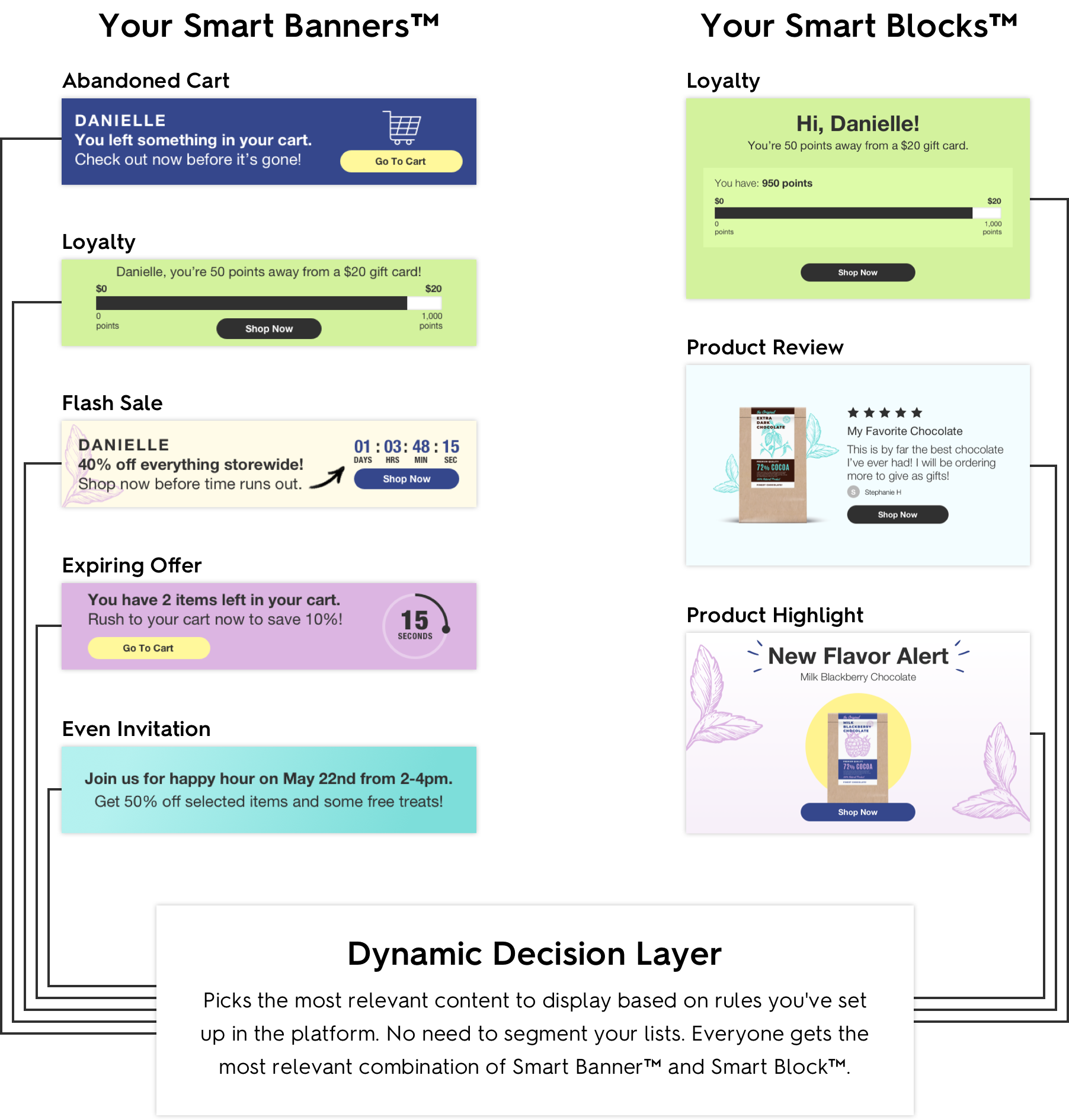
Zembula’s editor focuses on two types of image personalization: Smart Blocks and Smart Banners. All you have to do to use them is paste a snippet of HTML in your email templates.
From there, we do all the work for you, ensuring your customers see content personalized to them through dynamic emails.
The simplicity of the platform comes from machine learning. Our AI allows you to optimize your personalized images. So rather than tinker with A/B testing and tons of back-end code, you can focus on engaging your customers instead.
As a result, your customers get personalized images and notifications that tie in with their behavior, driving more action. It’s a win-win for you and your customers.
Always keep your customers up to date with Smart Banners
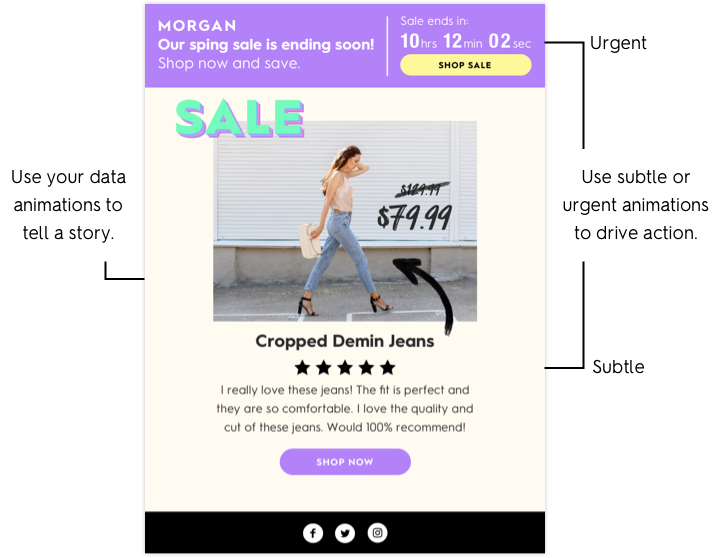
Smart Banners are image blocks that sit at the top of your emails. Using these for notifications, news updates, and personalized information means you can turn every email you send into something that’s customer-specific.
There are tons of ways to use Smart Banners to drive action and engagement.
Here are a few examples:
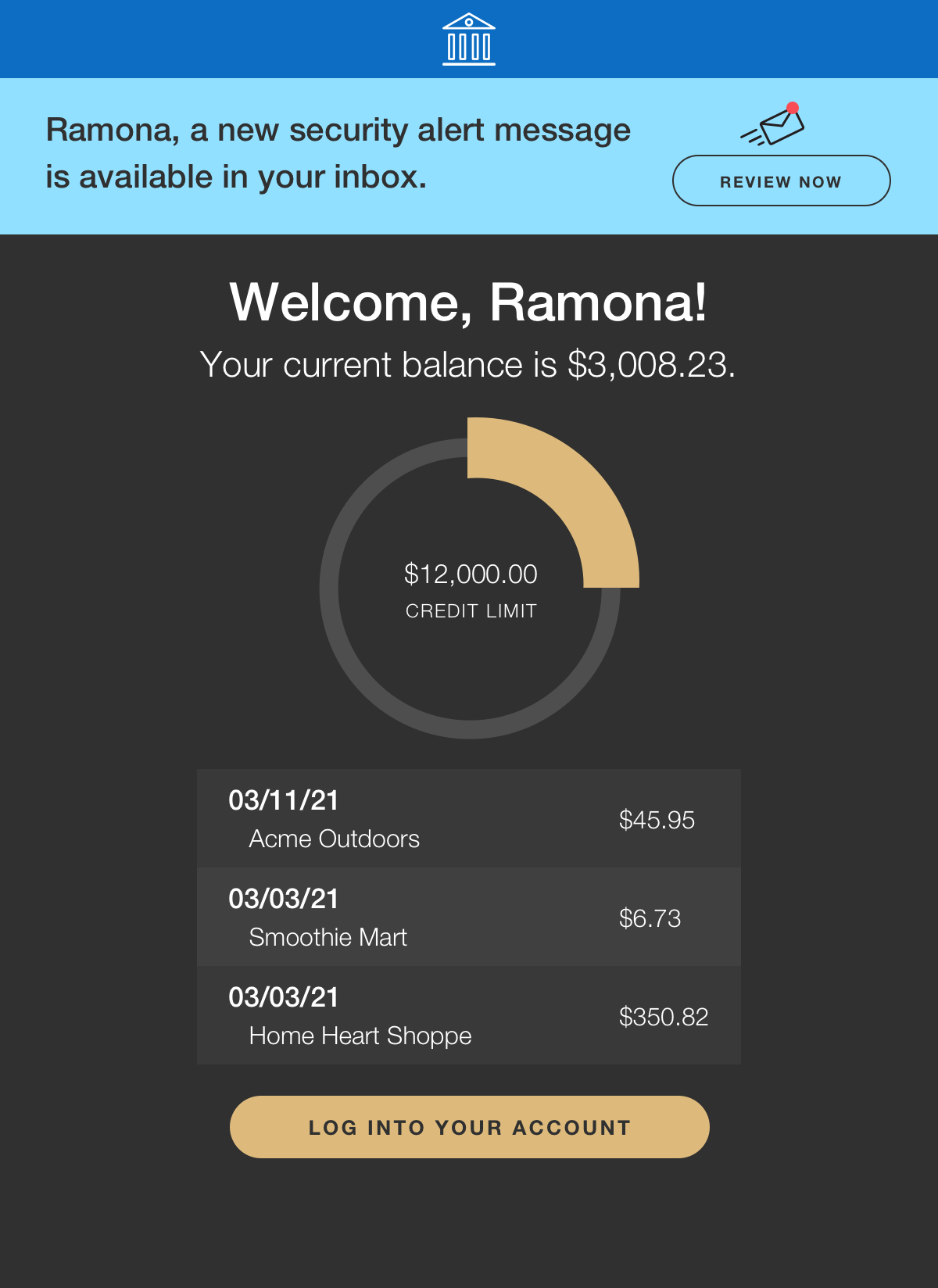
Use a banner to make sure your customer sees critical information about them and their accounts. It’s easy to miss a security alert email, but a bold, bright banner across the top of every email is hard to miss.
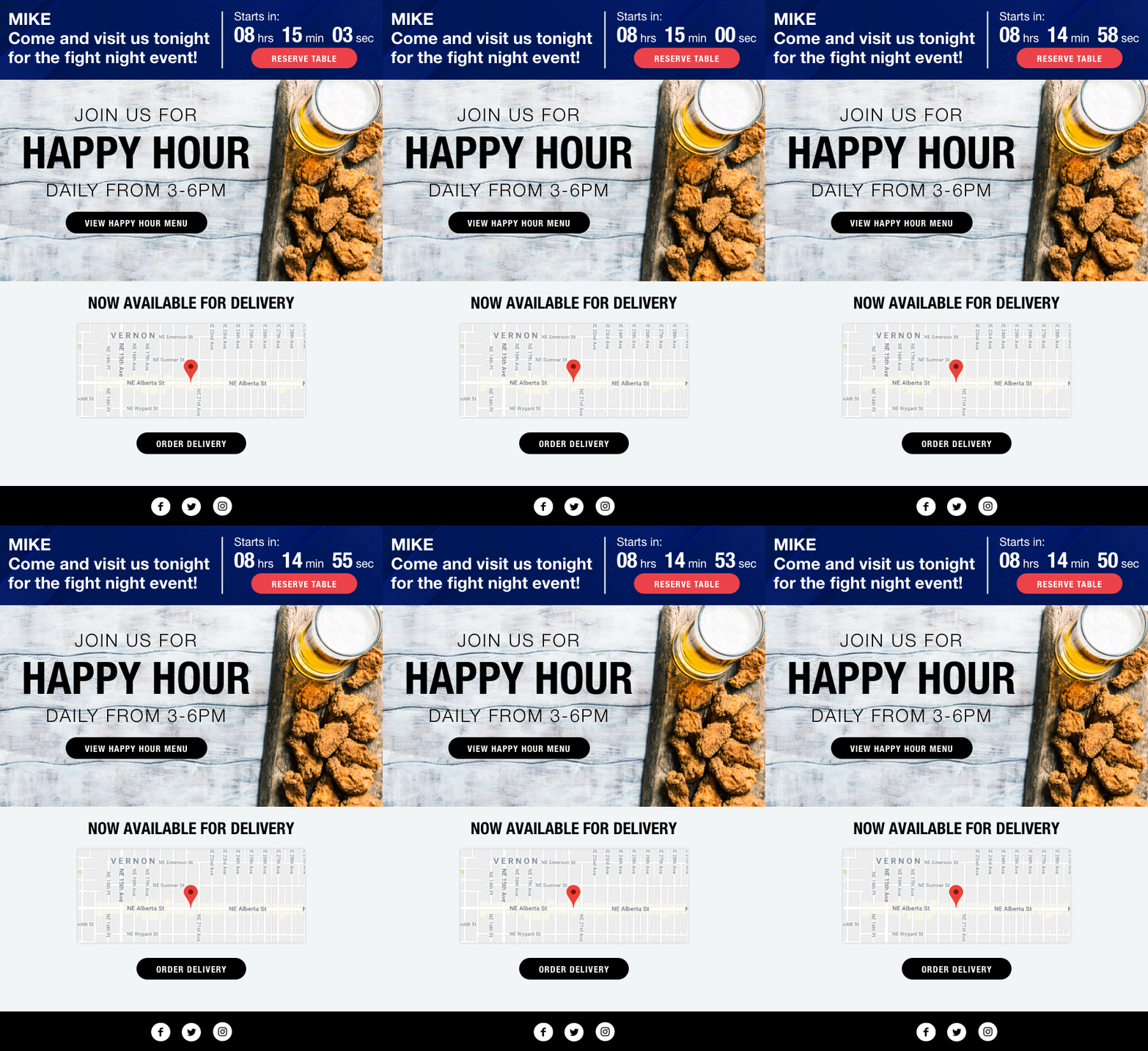
Personalize Smart Banners to notify or invite customers to events. Have them make reservations for a VIP dinner, pop into the bar for the game, or check out a one-day-only flash sale.
With Smart Banners, there are a ton of possibilities. It makes it so easy to stay in touch.
Image personalization makes for dynamic email
Now that you see what you can do with Smart Banners look at another way to personalize emails with images, Smart Blocks. These are content blocks that you can easily drag and drop in your email templates.
What’s incredible about Smart Blocks is anything goes. Combine them with Smart Banners or use multiple content blocks to make your emails truly dynamic.
Here are a few ways Smart Blocks can help you drive engagement.
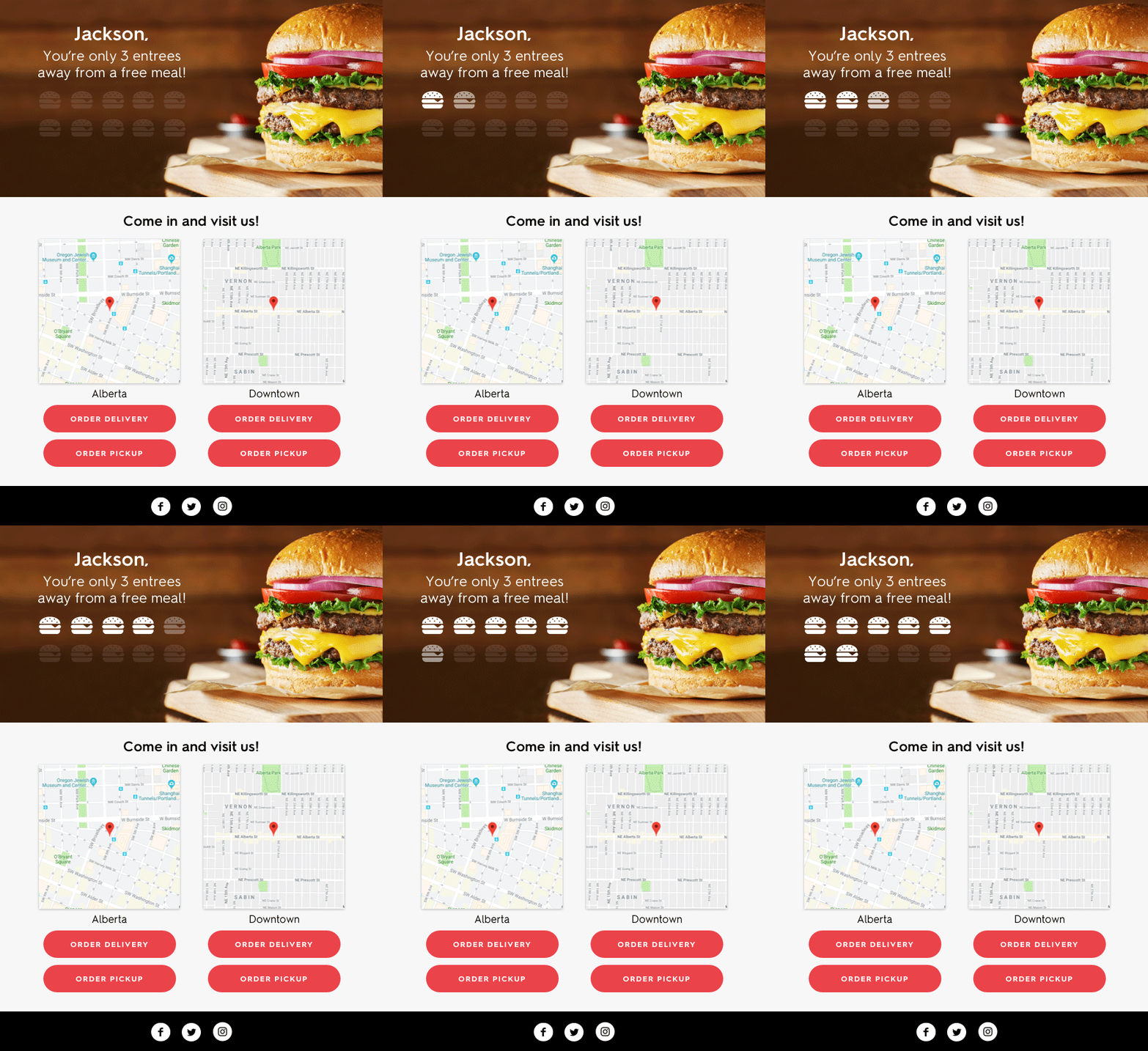
Use image personalization to level up your loyalty campaigns. Add in a bit of animation and gifs, and you can let your loyalty members know how many points they have, when they’ll hit their next tier, or when they’ve earned special bonuses or rewards.
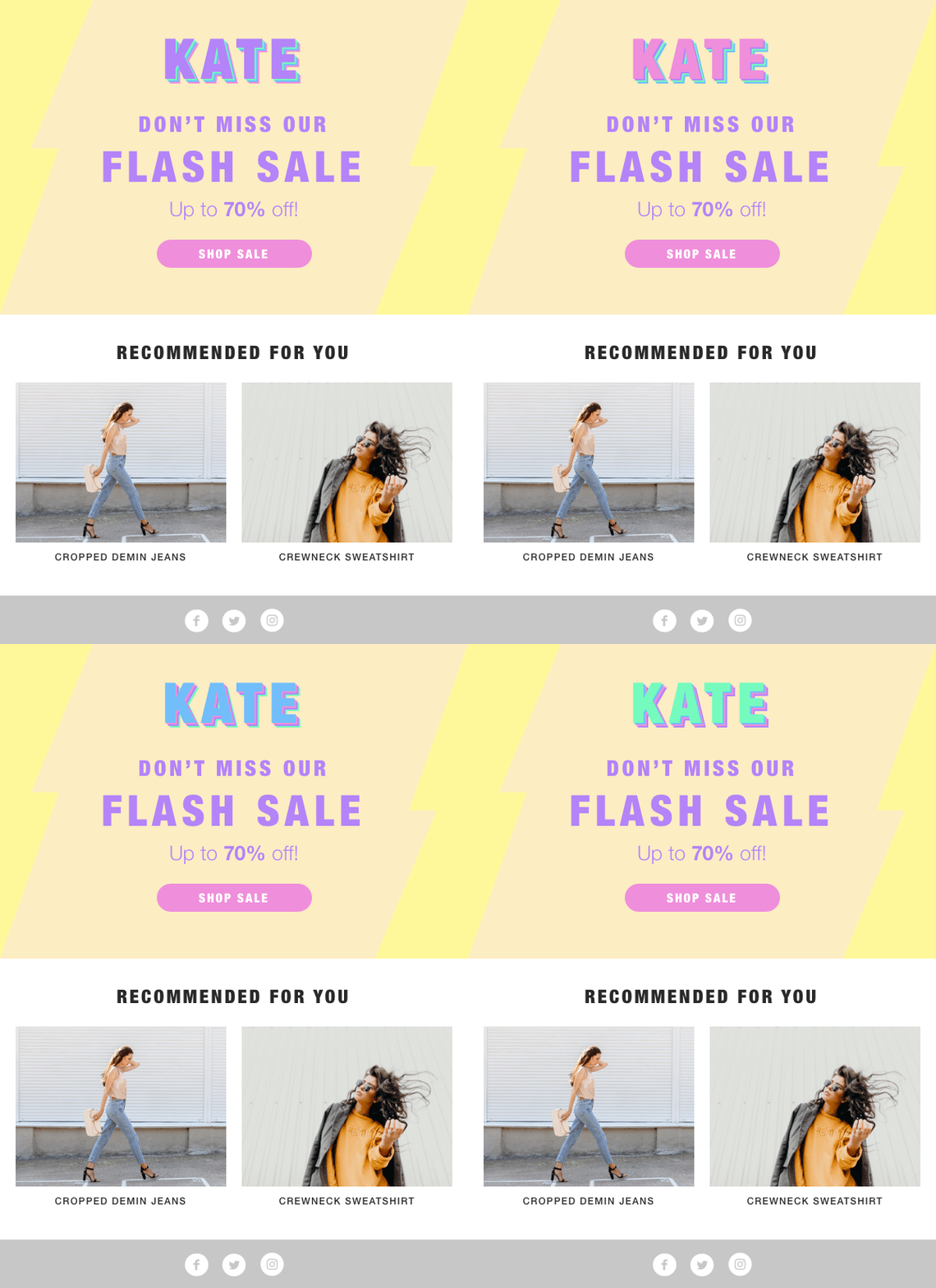
Few things will grab attention more than your name in bold flashing letters. But, with personalized animated images, you can transform a conventional flash sale announcement into something that stands out. Plus, with personalized product recommendation content blocks, you’ll also help drive more clicks showing items that tie into your customer’s interests.
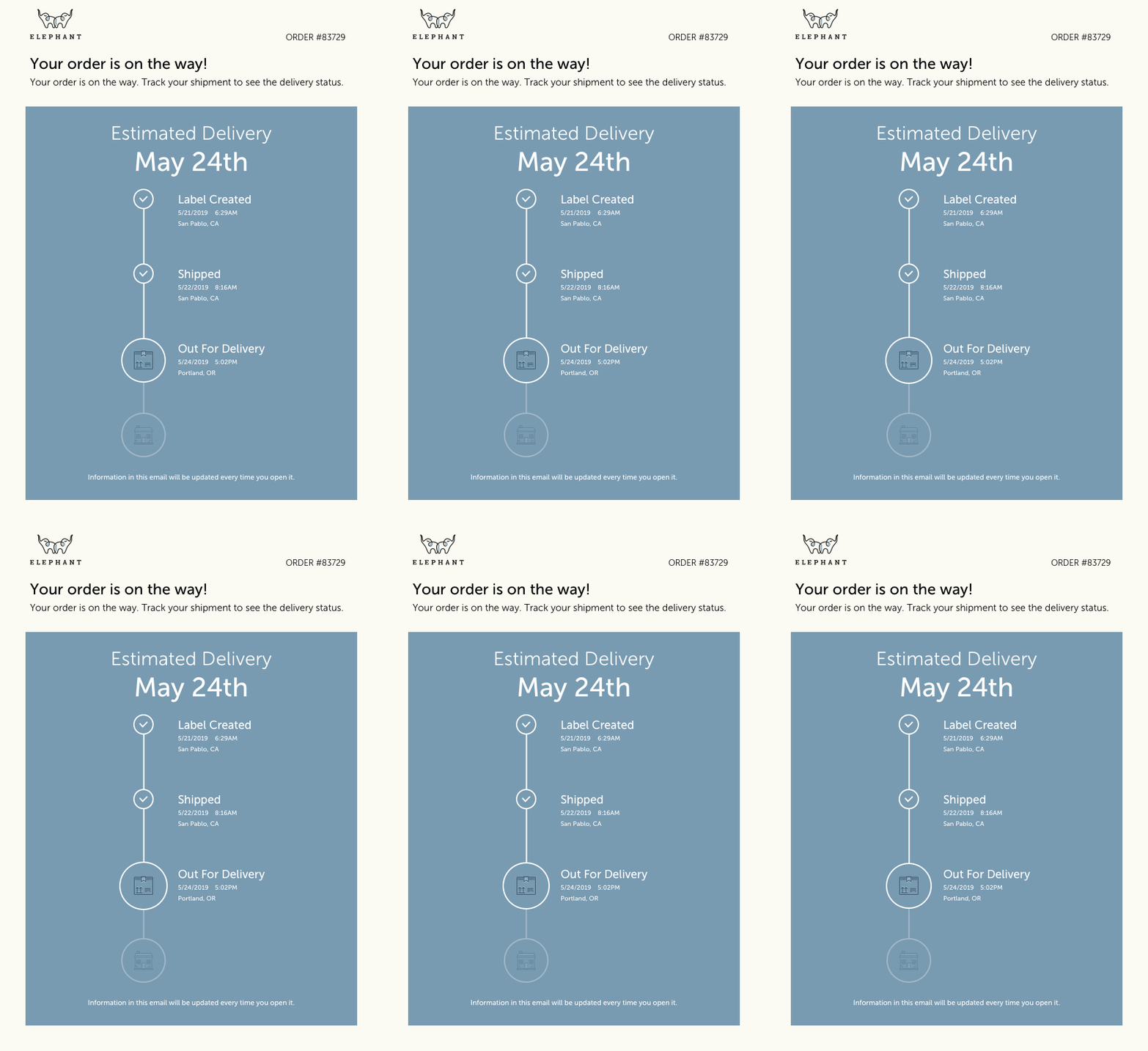
Customers want to know where their packages are and when they’re expected to arrive. If they don’t have that information, your customer service team could be inundated with where is my order calls (WISMO). Personalized package tracking can improve customer experience and help you build critical trust with your customers.
Are you full of ideas yet?
With personalized content, you’ve got so much potential to make your emails stand out. It’s time to really embrace what you can do to connect with your customers and drive more action.
If you want to learn more, get in touch. We’re happy to chat about how Zembula can help with your needs.
Liz Froment
Liz Froment is a content writer at Zembula. A graduate of University of Massachusetts at Amherst, Liz is a travel aficionado, Boston sports fan, and maple syrup connoisseur.
Most personalized product recommendations in email look like they were assembled by a database query, not a designer. You know the ones: a row of product images jammed into an HTML table, mismatched fonts, broken layouts on mobile, and a “Recommended For You” headline that screams “we ran an algorithm.” They work, technically. But they don’t look like they belong in the email. And that matters more than most teams realize.
The gap between what recommendation engines can do and what they look like in the inbox has been growing for years. McKinsey research found that 71% of consumers expect personalized interactions, and 76% get frustrated when they don’t receive them. But “personalized” doesn’t just mean “relevant product.” It means the experience feels intentional. The presentation needs to match the brand, not fight against it.
The good news: you can have both. Personalized product recommendations in email that are fully dynamic, data-driven, and 1:1, while still looking like your design team hand-crafted each one. The trick is to stop relying on HTML to do the heavy lifting and start thinking in generated images with layered data elements. Here are five formats that get this right, with real visual examples from brands using Zembula Dimensions.
Why HTML-Based Product Recs Sacrifice Your Brand
Here’s the core problem with how most email platforms handle product recommendations: they render them as HTML. That means your product name, price, rating stars, and CTA button are all built from live text, CSS, and table-based layouts. On paper, that sounds fine. In practice, it means your fonts won’t match (email clients ignore most custom fonts), your layout will break across devices, and your design team loses control over spacing, alignment, and visual hierarchy.
The result? Product recs that look like a bolt-on module, not a natural part of the email. Subscribers can tell the difference. They scroll past generic-looking product grids the same way they scroll past banner ads.
The alternative is image-based personalization, where each product recommendation is rendered as a generated image with data elements (price, ratings, badges, CTAs) layered directly onto the product photography. The image is assembled at the moment of open, pulling live data, but it arrives in the inbox looking like a polished creative asset. That’s the approach behind Zembula’s Composition Engine, and it changes what’s possible with personalized email content.
Single Product Cards with Lifestyle Photography and Layered Data
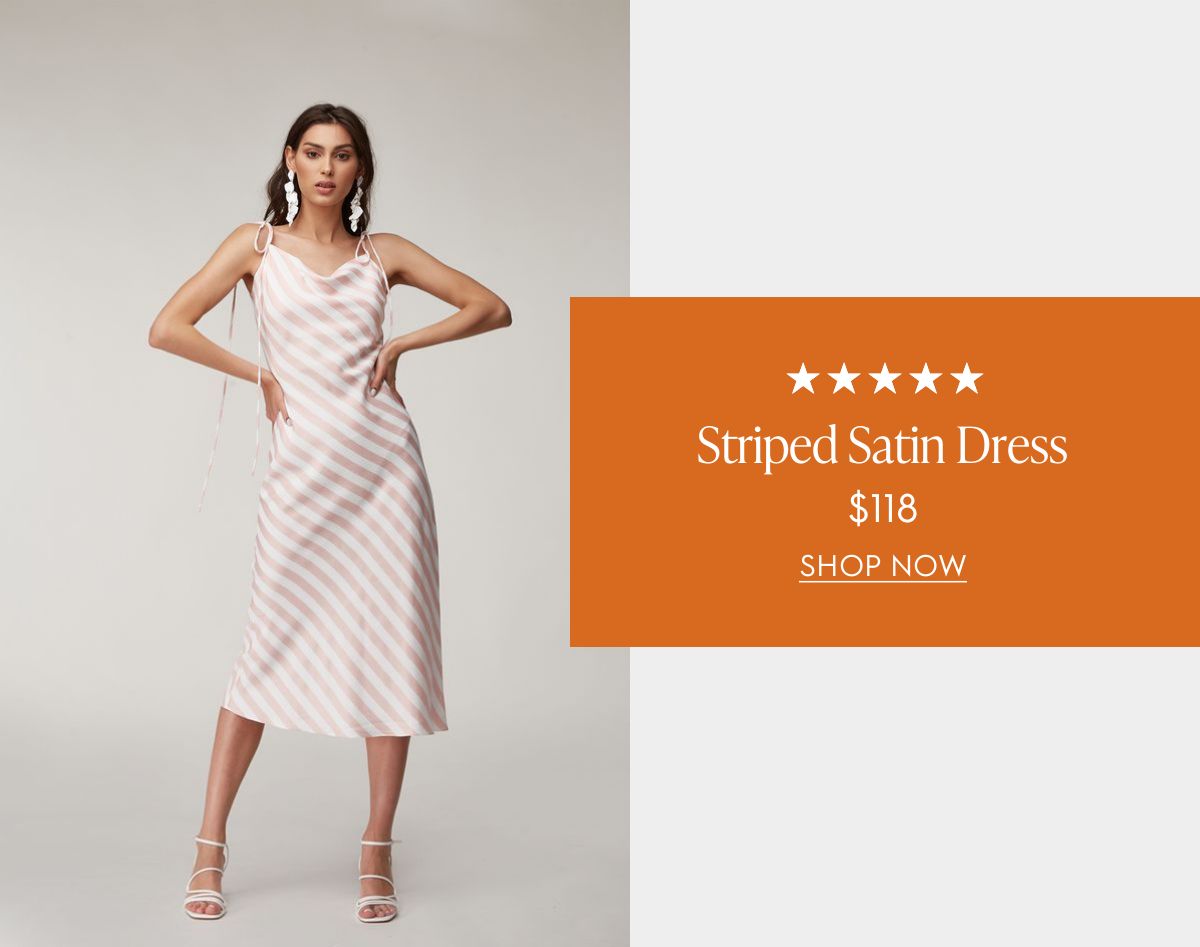
The single product card is the simplest format, and often the most effective. Instead of showing a grid of four or six items (which dilutes attention), you feature one product recommendation with full visual impact. The layout pairs a lifestyle photo with layered data: star ratings, product name, price, and a clear CTA.
The example below shows how this works. The lifestyle image (a model wearing the product) takes center stage, while the product data sits in a branded overlay card. Everything from the typography to the color palette matches the brand. The five-star rating and price are pulled live from the product catalog, but the end result looks like a designer placed each element by hand.
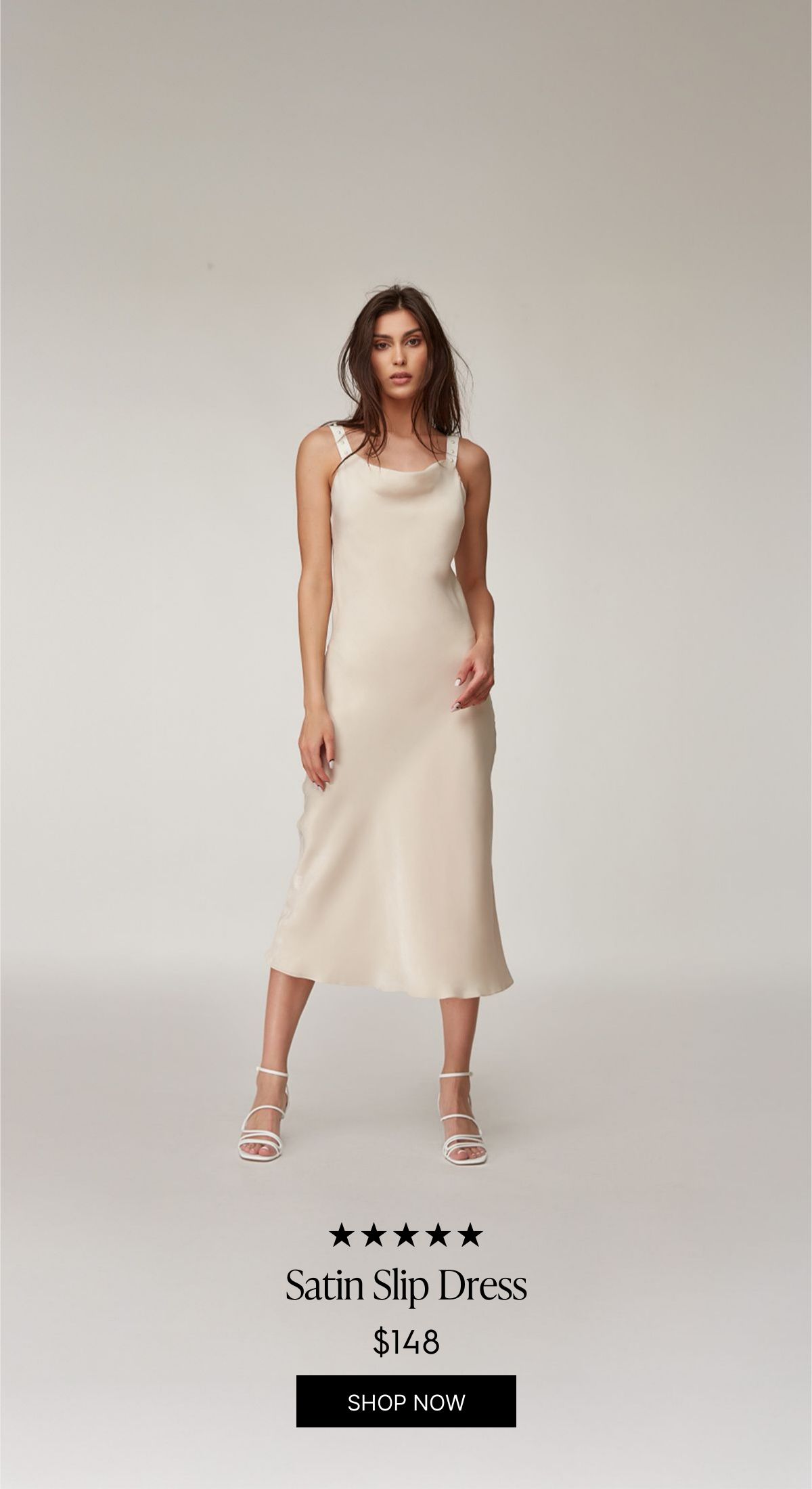
You can also go vertical. This full-height variant lets the product image dominate the frame, with the data elements (rating, name, price, CTA) sitting at the bottom. It’s a great fit for fashion and apparel where the product photography is strong enough to carry the layout on its own.
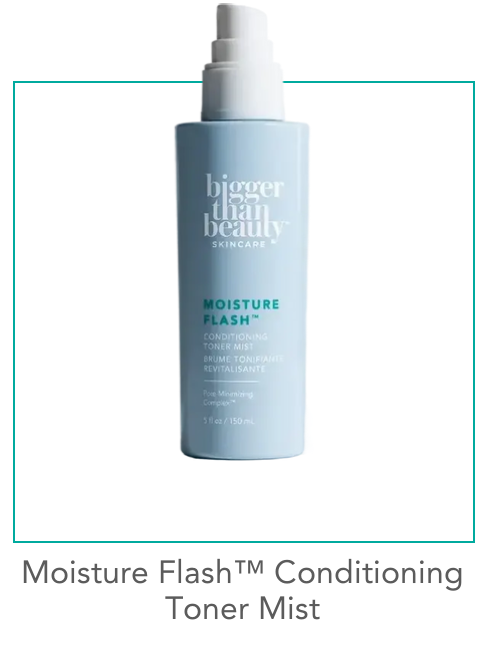
For beauty and skincare brands, a simpler studio-shot approach works well. This minimal product card uses a clean product photo on a white background with a teal accent border. No price shown, just the product name and framing that matches the brand’s visual identity. It’s the kind of personalized product recommendation in email that feels curated rather than computed.
Hero-Style Product Features with AI Background Extension
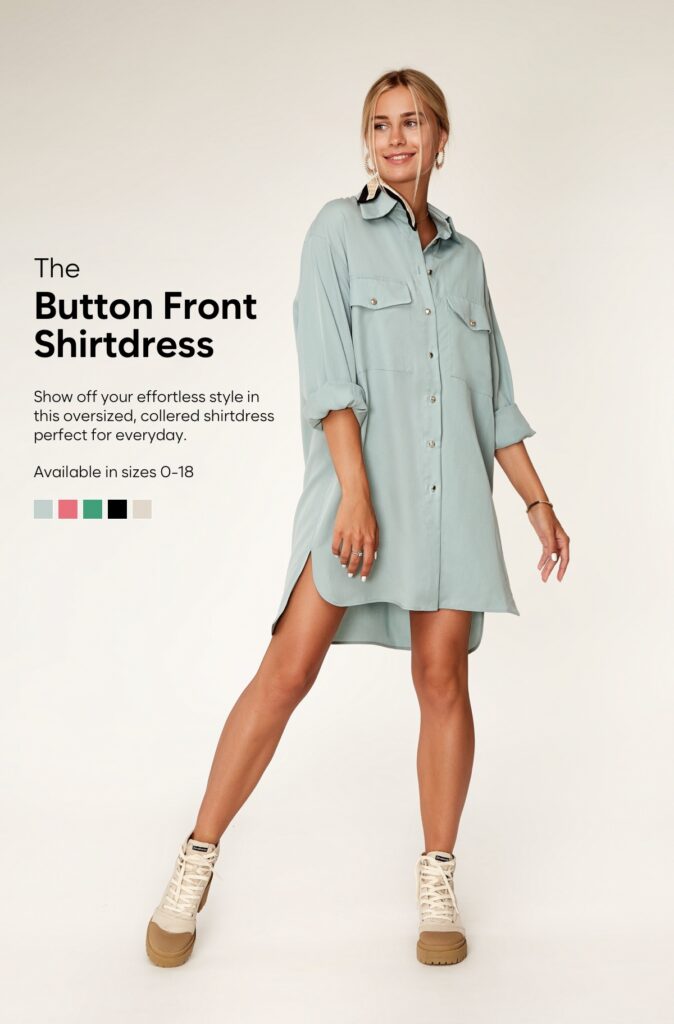
This is where things get interesting. A hero-style product feature fills the full width of the email, editorial-style, with the product as the star. The challenge has always been: how do you add dynamic text (product name, description, available sizes, color swatches) without covering the product itself?
The answer is AI background extension. Zembula’s Curator AI takes the original lifestyle photo and extends its background, creating additional canvas space where dynamic text elements can live. The model and product stay fully visible, while the extended area provides room for the product name, description, size options, and color swatches. All dynamically populated.
The result looks like a hand-designed editorial layout. You’d never guess that the background was AI-generated or that the text changes per subscriber based on their browsing and purchase history. This format is perfect for hero placement in daily sends, new arrival announcements, or high-margin products you want to feature prominently.
Multi-Product Grids with Badges, Sale Pricing, and Category Headers
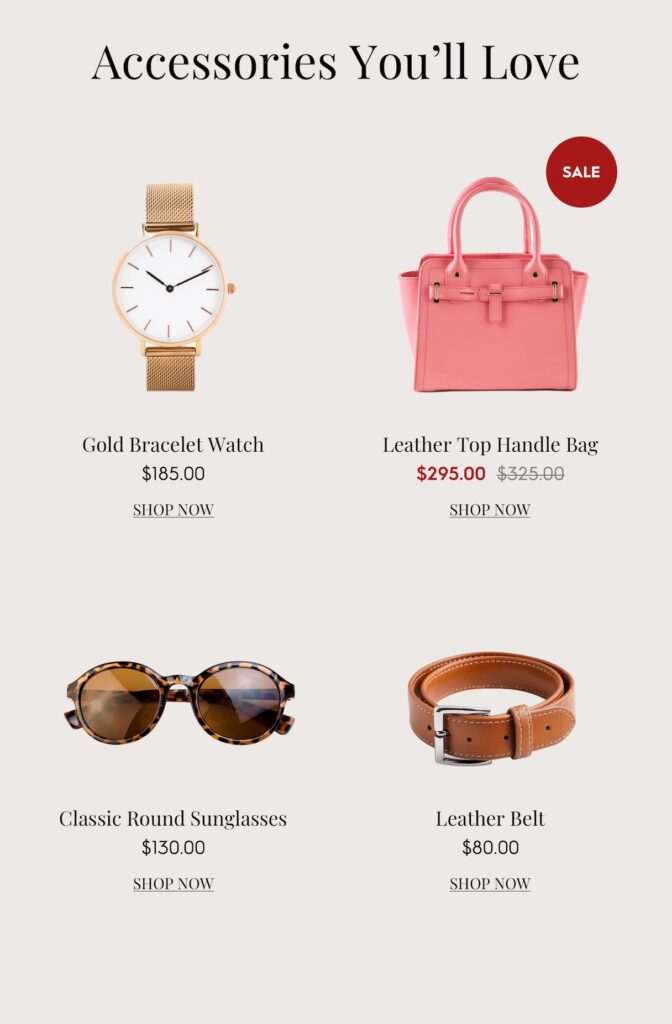
Sometimes you do want to show multiple products. The key is making the grid feel curated, not auto-generated. That starts with a category header (“Accessories You’ll Love”) that frames the selection as an editorial pick rather than a data dump.
The example below shows a 2×2 grid of studio product shots, each with a product name, price, and CTA. But the detail that makes it work is the SALE badge on the handbag, showing the original price crossed out and the sale price next to it. These badges (sale, trending, best seller, low in stock) act as trust signals and urgency drivers. They’re the difference between a product grid that gets scrolled past and one that gets clicked.
Because each product card is a generated image, the badge logic can be fully dynamic. A product that’s marked down gets the SALE badge automatically. An item with high recent views gets a TRENDING badge. Low inventory? LOW IN STOCK appears. The subscriber sees a polished grid that looks designed for them. Behind the scenes, every element is data-driven. This is what the Product Recs module in Zembula makes possible.
Stacked Vertical Recommendations That Match Your Brand Palette
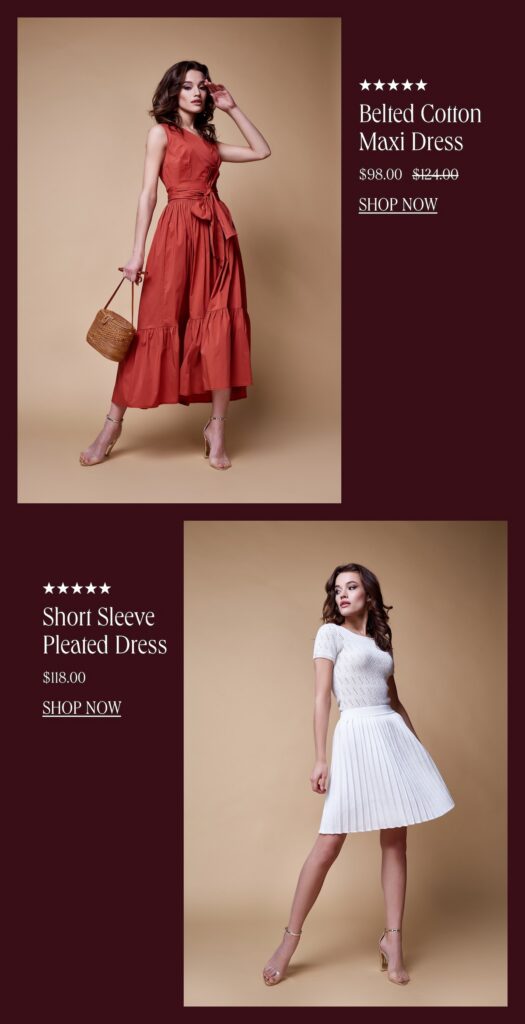
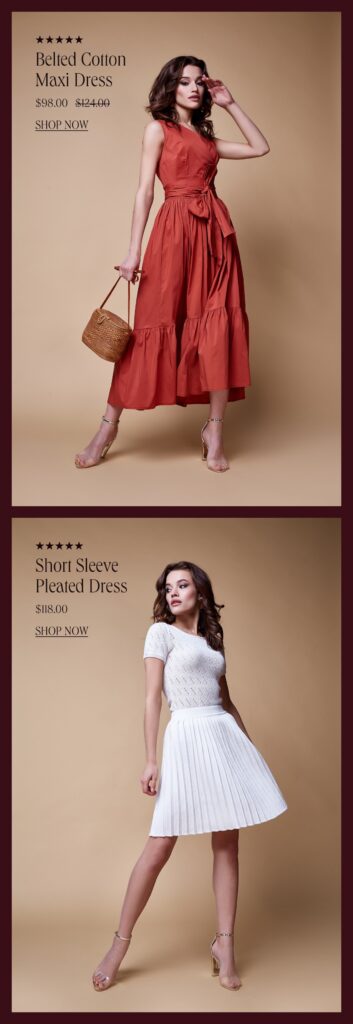
For brands that want to feature two or three products without the grid layout, stacked vertical recommendations are a strong option. Each product gets its own full-width row with a lifestyle photo, star rating, product name, and pricing (including strikethrough sale pricing).
What stands out about this format is how completely the recs adopt the brand’s color palette. Look at these two versions of the same layout. The first uses a rich maroon/burgundy background that matches a fall campaign:
And here’s the exact same data-driven layout, adapted to a warm beige palette for a different brand or campaign:
Same products. Same data structure. Completely different brand feel. This is the brand fidelity that HTML-based product recommendations simply can’t deliver. The background colors, photo cropping, text placement, and badge styling are all part of the generated image, which means they render perfectly in every email client, every time. According to Salesforce’s Connected Shoppers Report, personalization tied to strong visual experience is one of the top drivers of repeat purchase behavior.
Using AI to Crop, Extend, and Style Product Images at Scale
All of the layouts above rely on high-quality product imagery. But your product catalog probably has a mix: some items have great lifestyle shots, others just have a studio photo on a white background, and some have inconsistent sizing or awkward crops. That used to be a bottleneck. Now AI handles it.
Zembula’s Curator AI can do three things that make personalized product recommendations in email look consistently polished across your entire catalog:
Crop products to transparent backgrounds, removing the original background so the product can be placed on any color or pattern that matches your email design.
Extend backgrounds of lifestyle or studio shots, creating space for dynamic text elements without covering the product (as seen in the hero-style layout above).
Standardize image dimensions and framing, so a 4-product grid doesn’t have one photo that’s zoomed in and another that’s tiny with white space around it.
This means your product recs flow as part of the overall email design. They don’t look like a third-party widget was dropped into the middle of your template. They look hand-picked and hand-placed, which is exactly the impression you want to create.
Layering Ratings, Badges, and Pricing Without Sacrificing Your Brand
Smart badges are one of the highest-leverage additions you can make to product recommendations. A “BEST SELLER” tag on a product card immediately communicates social proof. A “LOW IN STOCK” badge creates urgency. A “TRENDING” label makes the subscriber feel like they’re discovering something hot. And a SALE badge with crossed-out pricing drives conversions for price-sensitive shoppers.
The key is that these elements need to look like they belong. In an HTML-based system, adding a badge means adding another table cell or absolutely-positioned div that will render differently across Outlook, Apple Mail, and Gmail. In an image-based system, the badge is part of the generated image. It renders the same everywhere, with the exact font, color, and positioning your design team specified.
Across the Zembula platform, personalized content (including product recommendations with these layered data elements) averages roughly 18.3% click-to-conversion, compared to a 2.5% baseline for standard email content. That’s a 7x difference. The presentation matters. When the recommendation looks intentional and brand-aligned, subscribers trust it more, and they click.
Key Takeaways
Stop relying on HTML for dynamic product elements. Generated images with layered data let you maintain brand fidelity while keeping every element personalized and dynamic.
Single product cards with lifestyle photography create the strongest visual impact and work well for hero placements and high-value product features.
AI background extension and product cropping solve the image quality bottleneck, letting you feature any product from your catalog in a polished layout.
Smart badges (trending, best seller, sale, low in stock) add social proof and urgency without requiring manual design work for each product.
Stacked vertical formats and multi-product grids should adopt your brand palette completely, making personalized product recommendations in email look like they were designed for each specific send.
Consistency across email clients matters. Image-based personalization renders identically in Outlook, Gmail, Apple Mail, and everywhere else, unlike HTML-based dynamic content.
The goal is to make every product rec look hand-picked. When the design is right, subscribers engage at dramatically higher rates. Zembula Dimensions makes this achievable at scale without adding work to your daily send process.
Liz Froment
Liz Froment is a content writer at Zembula. A graduate of University of Massachusetts at Amherst, Liz is a travel aficionado, Boston sports fan, and maple syrup connoisseur.
5 Ways to Use Image Personalization to Wow Your Customers
Personalized emails get more traction from your customers. In fact, it’s an experience that they find increasingly important. The numbers prove it; research shows 80% of customers are more likely to buy from brands that offer personalized experiences. The same study showed 90% of consumers indicated they like the idea of brands personalizing content.
Using personalized images in email is a way to give your customers unique animated gifs and pictures based on their behaviors and data. The exciting thing about using personalized imagery is there are unlimited possibilities. Go beyond the simple stuff like first names, and level up. Create coupon codes, special deals, featured products, and customer loyalty information.
If you want to find a new way to engage your customers and capture their attention, this is the way to do it.
Feature product recommendations
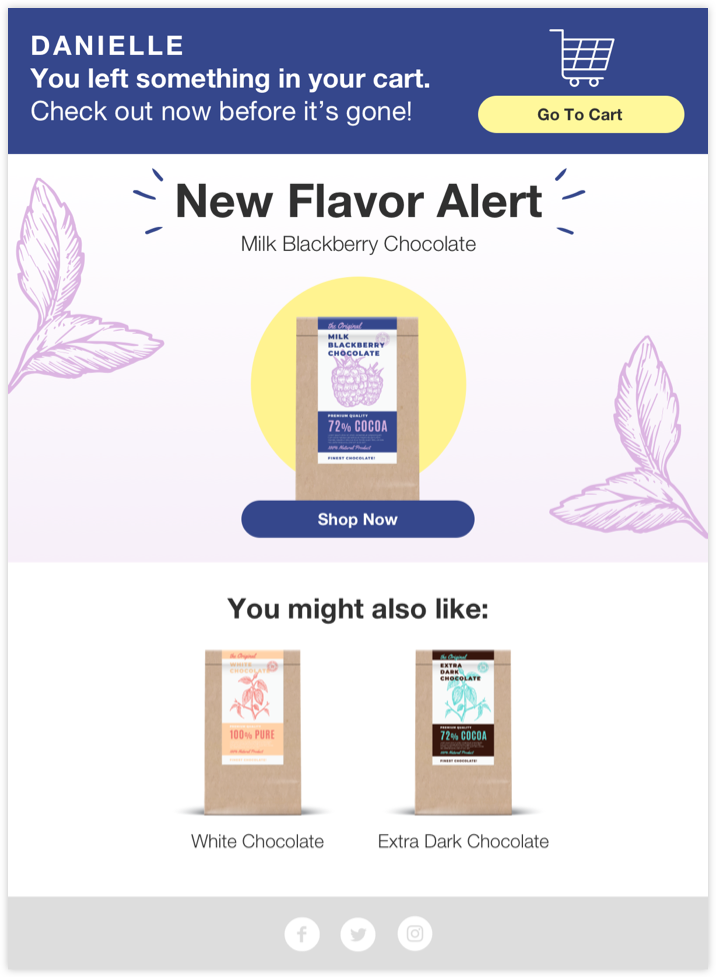
Another way to help your brand stand out is with personalized product recommendations. Using your customer’s past transaction history means it’s easy to create emails that recommend products already related to what you know they love to buy. Send them special emails letting them know when a product they love is back in stock, or a new flavor has arrived on the scene.
Couple those recommendations with product ratings and reviews to pack even more of a punch. Consumers are much more likely to buy when they see ratings and reviews, so don’t forget to include them in every product email you send.
Celebrate special dates
It doesn’t get more personalized than a birthday or anniversary, does it? Capitalize on that. Celebrating special dates is an easy way to use image personalization in your emails and get an ROI for your brand in return. Research shows birthday emails generate much higher clicks, transaction, and revenue rates compared to regular emails.
With image personalization, you can do more than send a friendly email. You can include animated gifs and customized images unique to your customer. For added impact, throw in a special gift or coupon code. Don’t forget other special dates, such as anniversaries or when your loyalty program members hit important milestones.
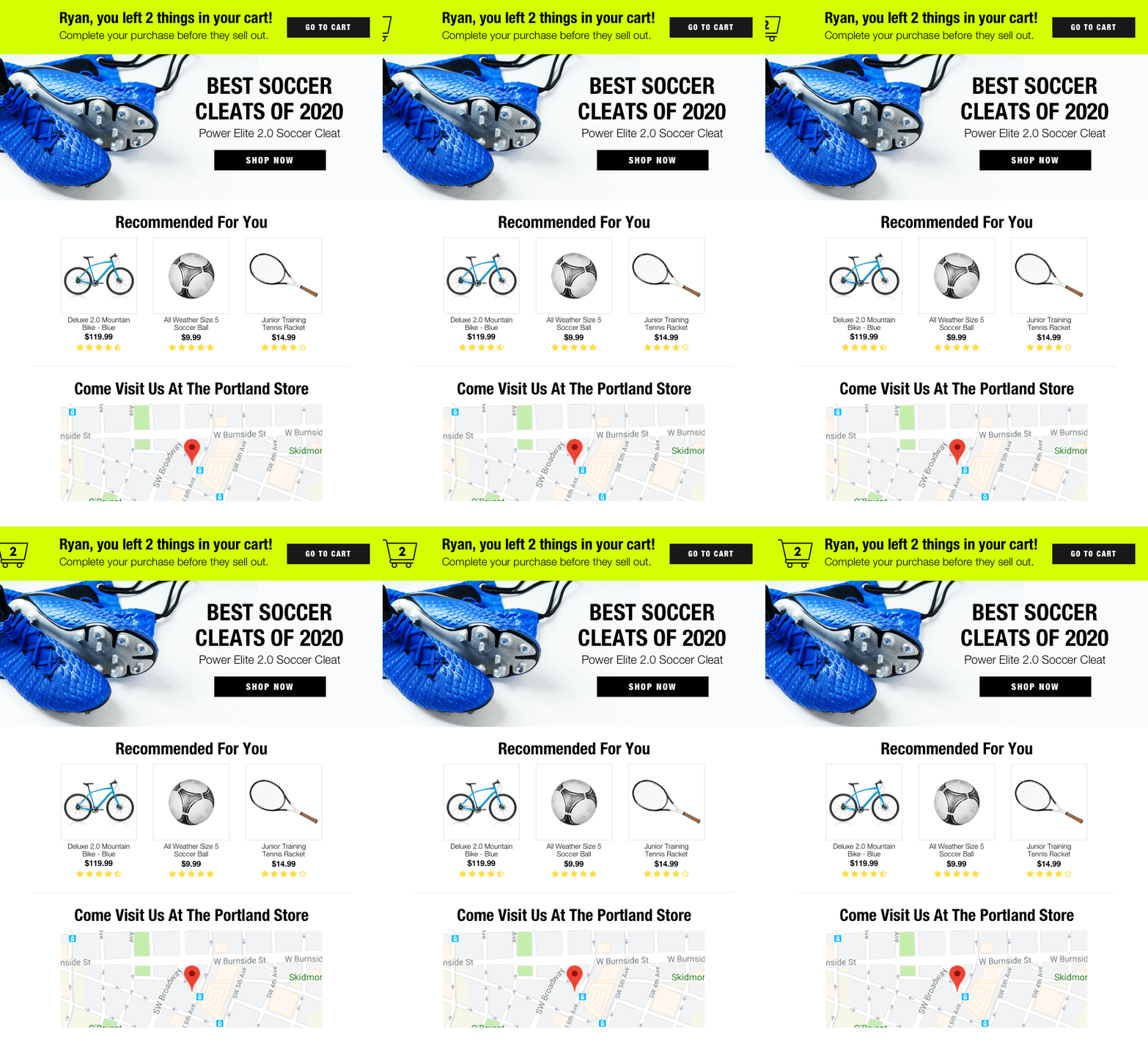
Highlight abandoned carts
Reengagement is always a big focus for brands. We all know most of the people who visit your website won’t complete a transaction. But, it’s worth putting effort into getting those who thought about buying to finish the process. One way to do that is by sending effective abandoned cart emails.
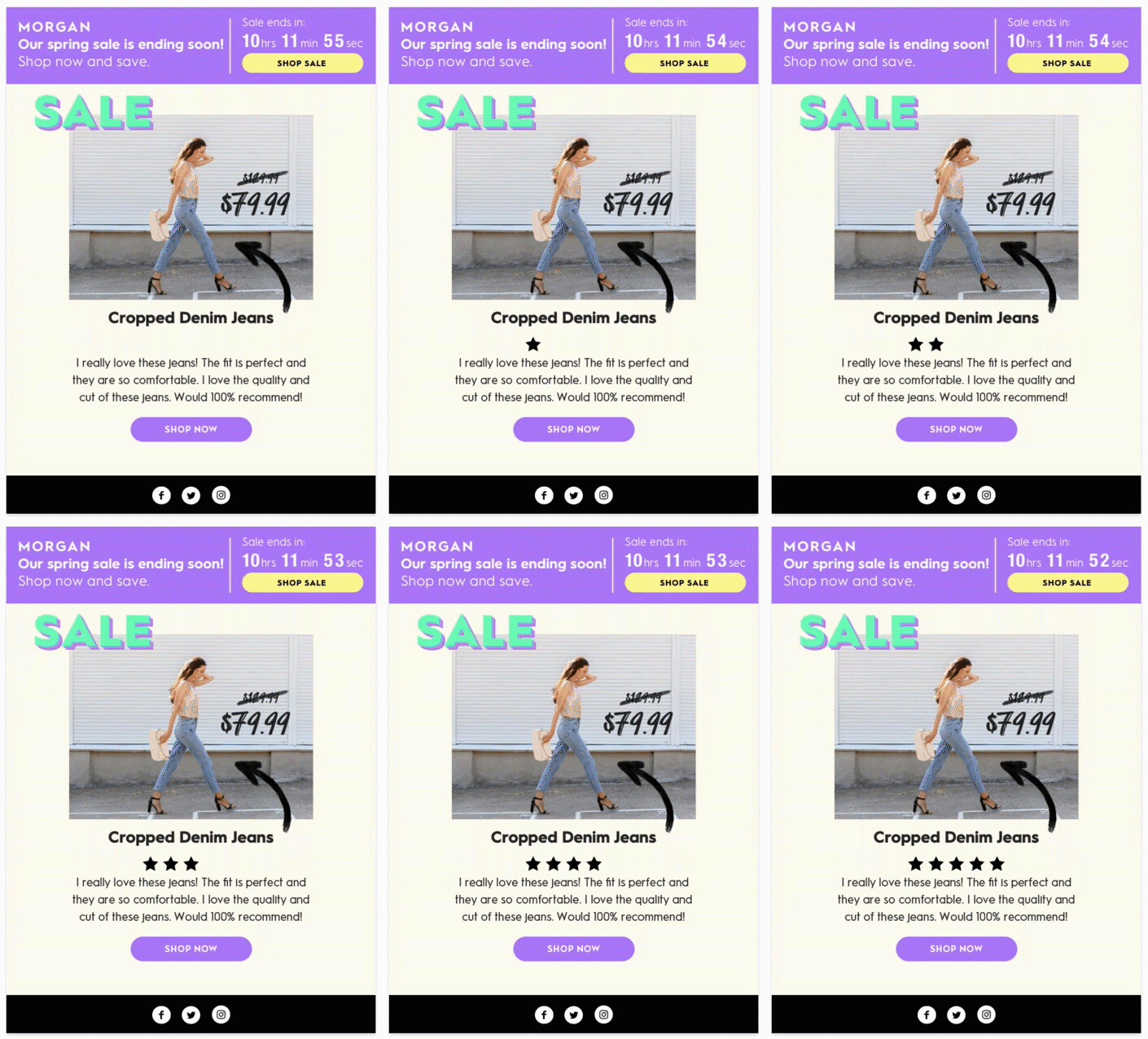
Personalized abandoned cart data can help. What’s more, using Smart Banners ensures any email turns into one that provides updates and information. Beyond highlighting abandoned cart info, add countdown timers and unique coupon codes to entice your shoppers.
Promote upcoming sales
You already know planning a successful holiday season campaign is a big deal. But that doesn’t mean you can’t promote what’s going on with your brand year-round. Rather than sending out a standard sale email, which may get ignored, make it personalized and drive customers to take action.
There are a couple of fun ways to do this. Give your customers a personalized coupon code to thank them for being a loyal shopper, provide bonus points to your loyalty members, include countdown clocks to trigger a bit of FOMO, or showcase your nearest location for special in-store deals.
Share account information
Image personalization can also be a useful way to give your customers insights into their account information in a new and interesting way. Throw out the boring, and bring your emails to life.
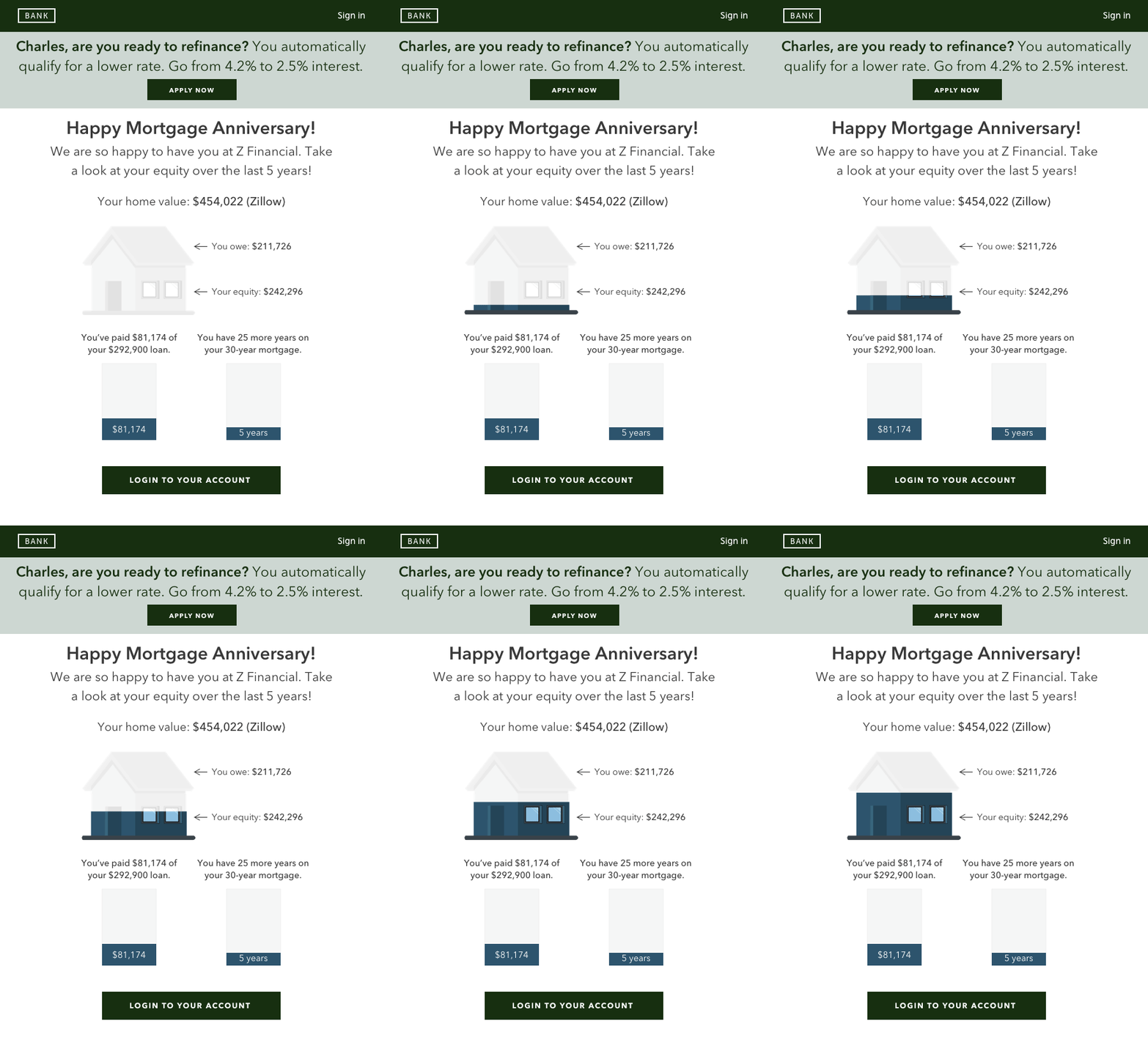
Animate bank statements, account data, and loyalty points to show your customer not only where they stand now but the progress they’ve made over the years. It’s a great way to engage your customers and tap into a bit of gamification to help ensure they will keep clicking on your emails in the future.
Add image personalization to your marketing today
These are just a handful of ways you can start utilizing more personalized images and animations in your emails. Curious about what else you can do with image personalization? Get in touch. One of our email experts would be happy to have a chat and explore your options.
Liz Froment
Liz Froment is a content writer at Zembula. A graduate of University of Massachusetts at Amherst, Liz is a travel aficionado, Boston sports fan, and maple syrup connoisseur.
6 Reasons to Add More Personalization to Your Emails
Personalization has been around for a while. By now, we know adding a name to a subject line can move the numbers a bit.
Stuff like that has worked, but like everything else, there comes a time where basic personalization doesn’t make the impact you need. Today, your consumers face overstuffed inboxes every morning. But, unfortunately, most of those emails get ignored.
Finding a way to stand out means going deeper into personalized emails. It’s the perfect opportunity for you to catch the eye of your customers, increase engagement, and drive them to take action.
Here are a few reasons why you need to focus on getting more personalized.
Personalization works
Duh. Sorry, this is an obvious one but still important to restate. So here are a few key email personalization stats to remember:
90% of customers are more likely to shop with brands that send emails tailored to them.
72% of customers will only engage with marketing that has personalized messaging.
Personalized emails see a median return on investment of approximately 122%.
The data doesn’t lie. When you personalize your emails, customers get engaged, and you see a nice boost to your bottom line.
Get more sales
Ultimately, that’s the goal, right? You want to get more customers and sales. With personalization, you can. Customers are driven to engage and take action when content is tailored to them. Show them recommended products, highlight positive product ratings and reviews, give them unique coupons, special access to events for loyalty members, and more.
Research shows personalized content reduces the length of the sales cycle while boosting conversion rates. And it can help lower customer acquisition costs too. When you have a legion of happy customers, it’s much easier to encourage them to keep buying.
Build a better relationship with customers
No one wants to feel like they are nothing more than a nameless, faceless customer transaction number. It’s not exactly the best way to build a solid relationship with your customers. If they don’t feel like you care, it makes it really easy for them to shop around.
Personalized emails help build loyalty and trust. When you show your customers content that matters to them and speaks directly to their needs, wants, and even location, that helps make them see you’re paying attention. That goodwill can go a long way to forming a long-term loyal relationship.
Improve your overall customer experience
Customer experience really matters today. And it goes way beyond how a website works or how easy it is to buy. From that first touch to the communication you have after a transaction is completed, every step you take makes a customer more or less likely to buy from you again.
Personalized email helps give you an edge over your competition. Use it to give your customers updates about their shipping information, tell them when they’ve got items left in their cart, and notify them of big announcements. You can do all that right from their inbox with image personalization.
You create better content
Sending generic emails that need to apply to everyone on your list isn’t exactly fun. But, when you know you can generate personalized content that applies to segments of your customers, you can go the extra mile and create something that’s both fun for you and interesting for them.
One example is a personalized holiday gift guide. Creating customized content based on your customer data is easier because you know what will move them to buy.
There are unlimited possibilities
Speaking of creating better content, personalization opens the door to unlimited potential. You can go way out of the box with how your emails look and feel. One way to do that is with image personalization. Check out this example:
Let’s face it, we all know paying the mortgage every month isn’t exactly fun. But, getting a personalized email that’s animated and feels like it’s gamifying the process stands out. It’s unique and creative and catches your customer’s attention.
In a world where attention is becoming more valuable than ever, personalization can make all difference.
Want to add more personalization to your emails? We’d love to help. Schedule a demo today.
Liz Froment
Liz Froment is a content writer at Zembula. A graduate of University of Massachusetts at Amherst, Liz is a travel aficionado, Boston sports fan, and maple syrup connoisseur.